
Best Chrome Extensions for Productivity (2026)
An honest 2026 round-up of seven Chrome extensions for productivity — focus blockers, tab managers, and a new tab lock — ranked by problem, not by vendor.
 CollinFounder, OneTabFocus12 min read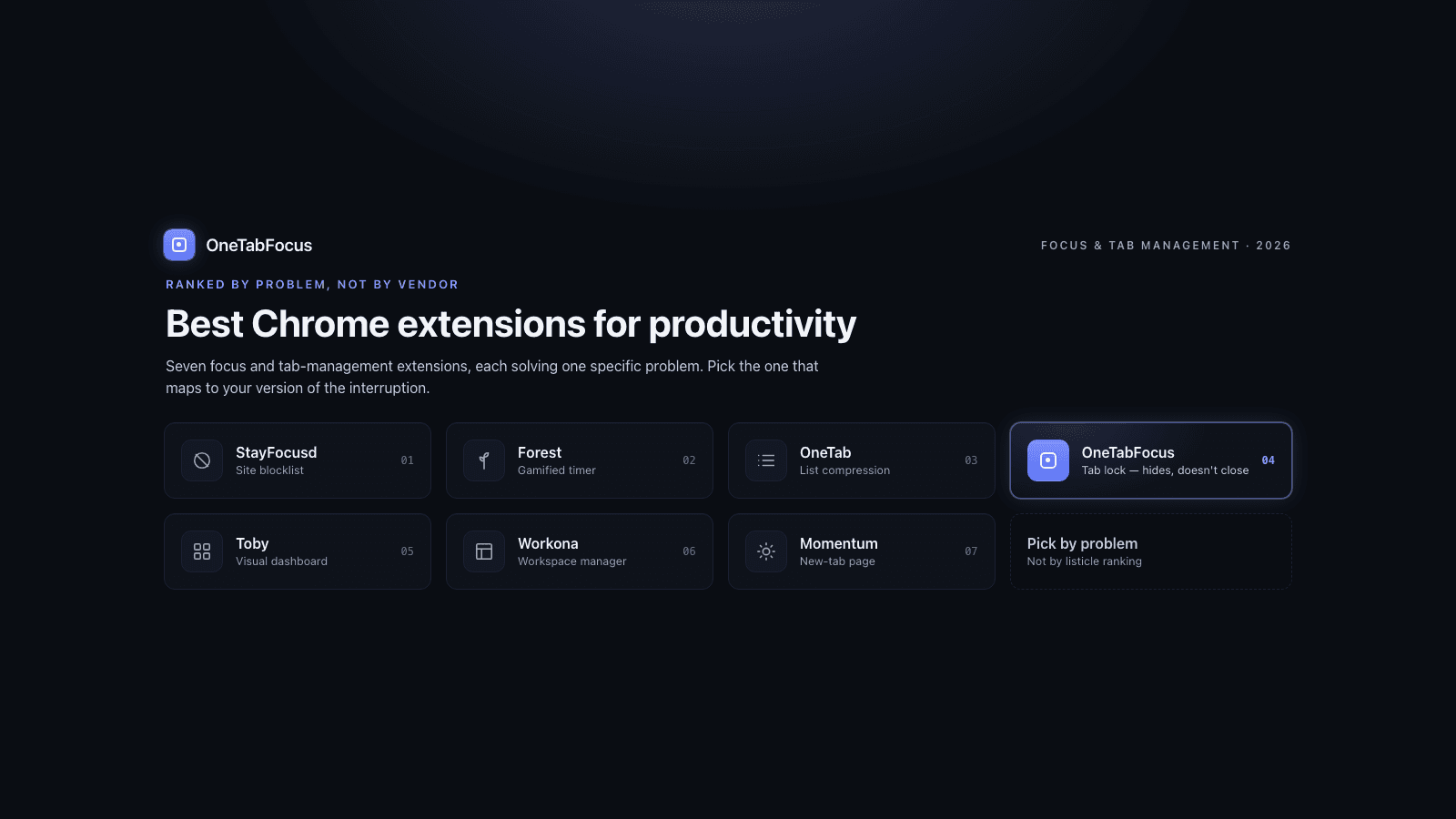
On this page
- Why most "best Chrome extensions" lists don't help
- How we picked these seven
- The comparison table
- The seven extensions, ranked by what they solve
- 1. StayFocusd — pure site blocklist
- 2. Forest — gamified focus timer
- 3. OneTab — tab list compression
- 4. OneTabFocus — tab lock that hides without closing
- 5. Toby — visual tab dashboard
- 6. Workona — workspace-grade tab manager
- 7. Momentum — new-tab page replacement
- How to pick the right one for your problem
- How OneTabFocus fits
Why most "best Chrome extensions" lists don't help
Almost every "best Chrome extensions for productivity" page on the first page of Google is written by a productivity-tool vendor, and the vendor's own tool sits at position one or two. ClickUp's roundup leads with ClickUp. Scribe's leads with Scribe. Voicy's leads with Voicy. The reader knows this is happening, which is why most of these posts end up scanned and abandoned rather than acted on. The "best" extensions are not the ones whose vendor paid the SEO bill.
This post is the opposite. It covers a single category — focus and tab management — and ranks the seven extensions in that category honestly. Our tab lock is one of the seven, and we are at position four out of seven. If you want a 25-tool grab bag covering everything from password managers to AI summarisers, Zapier and ClickUp both have respectable versions. If you want the version that helps you decide which one to actually install for the focus problem you have today, this is it. One of the other six is probably also right for some part of your workflow.
How we picked these seven
Three criteria. Independent function — each extension solves one specific problem and does it well, not a four-feature combo. Real install base — every extension here has at least 200,000 active users and recent updates, so the project is not abandoned. No LLM-fluff entries — no "AI-powered" wrappers that re-package an OpenAI API call as a productivity tool. That filter narrows the universe to extensions that genuinely change a default behaviour: blocking sites, compressing tab strips, locking the browser, replacing the new-tab page.
The seven are: StayFocusd, Forest, OneTab, OneTabFocus, Toby, Workona, Momentum. We tested each one in May 2026 against current pricing, current install counts, and current Chrome behaviour. The post will be re-checked every 90 days because extension pricing and ownership change.
The comparison table
| Extension | Pricing (May 2026) | What it does | Best for | When not to use it |
|---|---|---|---|---|
| StayFocusd | Free | Sets a daily time budget for distracting sites; blocks them when exceeded | A named list of sites that eat your day (Twitter, Reddit, news) | The distraction is general tab-switching, not specific sites |
| Forest | $1.99 one-time + premium add-ons | Pomodoro timer + gamified tree-growing for completed focus sessions | Light gamification, mobile-cross-device focus tracking | You want the lock to be unbeatable rather than guilt-based |
| OneTab | Free | Collapses every open tab into a single list page you can restore from | Recovering memory and tab-strip clarity at the end of a research session | You want the tabs hidden but still live (audio, drafts, scroll) |
| OneTabFocus | Free + $24/yr Pro ($39 Founders Lifetime) | Locks Chrome to one tab plus a small set of reference tabs for a fixed duration; hides the rest | Defending a 25- to 90-minute focus block without losing your working set | You only need a one-off list compression — OneTab is simpler |
| Toby | Free + paid team plans | Visual dashboard new-tab page with grouped tab collections | Long-term project organisation across many topics | You need an in-the-moment focus lock, not a dashboard |
| Workona | Free (5 workspaces) + Pro $8/mo | Workspace-grade tab manager with project workspaces, doc integrations, team sharing | Heavy multi-project workflows (consultants, PMs) needing persistent workspaces | The five-workspace free cap is too tight and you can't justify Pro |
| Momentum | Free + Plus $3.33/mo | Replaces the new-tab page with a personal dashboard (quote, to-do, weather, photo) | A calming new-tab experience and a lightweight daily focus prompt | You want an extension that actually intervenes in your browsing |
The seven extensions, ranked by what they solve
1. StayFocusd — pure site blocklist
StayFocusd is the oldest extension in this list and still the most-installed dedicated focus blocker, with over 800,000 active users on the Chrome Web Store. The model is simple: you set a daily time budget per site, and when the budget runs out, the site is blocked until midnight. There is a "Nuclear" mode that blocks a list of sites for a chosen duration with no override.
What it is actually good at: a specific named distraction. If you know that your problem is YouTube or Reddit or Twitter, StayFocusd will solve it cheaply and reliably. Free, no upsell.
The trade-off: a blocklist is only useful for distractions you have explicitly named. If your problem is general tab-switching during deep work — jumping from your code editor to Linear to Slack to your draft — none of those are on the blocklist. StayFocusd doesn't help with that. Pair with a tab lock if needed.
2. Forest — gamified focus timer
Forest is a Pomodoro timer with a virtual tree that grows during the session and dies if you leave the focus mode. The extension is $1.99 one-time with premium add-ons, and the company plants real trees through a reforestation partner when users hit a virtual-tree threshold. It is one of the only focus extensions with a real mobile/cross-device story.
What it is actually good at: light, friendly accountability. The killing-the-tree mechanic is mild enough not to feel punitive but real enough to make you think twice about switching apps. Strong for people who respond to gamification.
The trade-off: the lock is guilt-based, not technical. If you really want to switch, Forest doesn't stop you — it just notes you killed the tree. For an ADHD brain or a deep-work block where you need the choice removed, the technical lock matters more than the guilt.
3. OneTab — tab list compression
OneTab is the original "I have 80 tabs open" cleanup tool, with a 4.5-star rating across more than 30,000 reviews. One click and every open tab in the window is collapsed into a single list page you can restore from. The company claims up to 95% memory savings, which roughly matches independent measurements.
What it is actually good at: end-of-day cleanup. Researching a topic, accumulating thirty tabs, and then needing the strip clear and the memory back without losing the URLs. The list page is searchable and shareable.
The trade-off: OneTab closes the tabs to put them in the list. Audio stops, drafts in form fields disappear, scroll position resets. Restoring a tab opens a fresh load, not the live state you left. For research recovery this is fine; for an active focus block where you want to keep working state intact, it is the wrong tool.
4. OneTabFocus — tab lock that hides without closing
This is us. OneTabFocus is a Chrome extension that locks the browser to one tab — or a small set of reference tabs — for a chosen duration. During the lock, every other tab is collapsed into a single "Hidden" chip in the tab strip. The tabs are not closed: audio keeps playing, drafts are preserved, scroll position is preserved. When the session ends, the original tab groups are restored exactly as they were.
What it is actually good at: defending a deep-work block. Where StayFocusd blocks named sites and OneTab compresses everything for cleanup, OneTabFocus is the tool for "I am going to write for 75 minutes and I need my reference tabs available but the rest of the strip gone." Pomodoro mode is included; the lock holds through Pomodoro breaks so the break stays a break. Pricing is free, with a $24/yr Pro tier (or a $39 Founders Lifetime that is sunset 12 months after launch).
The trade-off: if you only need an end-of-day tab cleanup, OneTab is simpler. If your problem is a named distraction list, StayFocusd is more direct. OneTabFocus earns its place when the problem is the focus block itself — when you need the choice removed for a fixed duration without losing the working set.
5. Toby — visual tab dashboard
Toby replaces the new-tab page with a visual dashboard where you organise frequently-used tabs and saved links into collections. The extension is the #1 Chrome Extension on Product Hunt and is used by teams at Google, Netflix, HubSpot, and IBM. Free for individuals, with paid plans for teams.
What it is actually good at: long-term project organisation across many topics. If you have 12 active client projects and want a visual workspace that surfaces the right links per project on demand, Toby is the strongest option in this list.
The trade-off: Toby is a dashboard, not a focus mechanism. It helps you organise your tabs over weeks; it does not help you stop switching between them in the next 75 minutes. Pair with a lock-style tool if both problems apply.
6. Workona — workspace-grade tab manager
Workona is the heaviest tab manager in this list. It organises tabs into project workspaces with integrated docs, notes, and task lists, and it syncs across devices. Pricing is free for five workspaces, then $8 per month for Pro.
What it is actually good at: consultants, project managers, and anyone juggling more than five simultaneous projects with persistent context. The workspace model is genuinely useful when "project" is the unit of work and you want to put a project away cleanly at the end of the day.
The trade-off: the free tier's five-workspace cap is tight, and Pro is the most expensive tool in this list. Workona also takes time to set up — it is not a one-click install-and-go tool. If your scale is two or three projects, a simpler tab manager will serve you better.
7. Momentum — new-tab page replacement
Momentum replaces the standard Chrome new-tab page with a daily photo, a quote, a single "main focus" prompt, and a small to-do list. Free with a Plus tier at $3.33/month for integrations with task tools like Todoist and Asana. It has been around since the early Chrome extension era and is one of the most-installed extensions in the category.
What it is actually good at: a calmer new-tab experience and a lightweight prompt to name your daily intention. The "main focus" field nudges you toward picking one thing for the day without imposing structure.
The trade-off: Momentum is decorative; it does not intervene in your browsing. If you open a new tab and type "twitter.com," Momentum does not stop you. For people whose problem is a chaotic new-tab page, it helps; for people whose problem is tab-switching during deep work, it does not.
How to pick the right one for your problem
The seven extensions solve different problems. The honest decision tree:
- You lose hours to specific sites (Twitter, Reddit, news, YouTube). → Install StayFocusd. It is free, dedicated to this problem, and battle-tested.
- You want light, friendly accountability with a gamified tree. → Install Forest. $1.99 one-time, mobile too.
- Your tab strip is a 80-tab mess at end of day. → Install OneTab. Free, one-click cleanup. Audio and drafts are not preserved.
- You need to defend a 25- to 90-minute focus block without losing reference tabs. → Install OneTabFocus. Free tier, $24/yr Pro for unlimited duration and Pomodoro. Tabs are hidden, not closed.
- You want a visual dashboard for a stable set of project tab collections. → Install Toby. Free, strongest at long-horizon organisation.
- You run more than five active projects and need workspace-grade tab management. → Install Workona. Free up to five workspaces, $8/mo Pro after.
- You want a calmer new-tab page with a daily focus prompt. → Install Momentum. Free with Plus at $3.33/mo.
Microsoft's 2024 Work Trend Index found knowledge workers are interrupted on average every two minutes during core work hours. That number is the underlying problem most of this list is trying to address. Pick the extension that maps to your version of that interruption pattern. Installing all seven helps no one.
How OneTabFocus fits
OneTabFocus is the tab lock in this list. The competing tools all do something different: StayFocusd is a blocklist, Forest is a guilt-based timer, OneTab compresses for cleanup, Toby and Workona are dashboards, Momentum is decorative.
OneTabFocus collapses every non-focus tab into a single 'Hidden' chip. Tabs are not closed: audio keeps playing, drafts are preserved, scroll position is preserved.
We belong in your stack if your problem is the focus block itself — the 60 to 90 minutes once or twice a day where you need to ship deep work without your own Linear/Slack/Notion tabs pulling you off. If your problem is a named distraction site or end-of-day cleanup, install one of the other six first; we are not the right first install for those cases. If you've already installed StayFocusd or OneTab and the problem is still there, the tab lock is probably the missing piece. For more on how we compare specifically to OneTab, see the OneTab alternative page, or install OneTabFocus and run one 75-minute session to feel the difference.
FAQ
What is the best Chrome extension for productivity?
There is no single best one. The right extension depends on the specific problem you have. If you lose time to social media, install StayFocusd. If your tab strip is unreadable, install OneTab or Workona. If you switch tabs every two minutes during deep work, install OneTabFocus. The honest answer is to pick by problem, not by listicle position.
Are Chrome extensions safe?
Most extensions in the Chrome Web Store are safe, but the Store doesn't audit them in depth. Check the developer, review count, and permissions before installing. If an extension asks to read your data on all sites, only install it if you trust the developer. Stick to extensions with at least 50,000 active users and recent updates.
What is the best free Chrome extension for focus?
StayFocusd and OneTabFocus both have substantial free tiers and are the strongest free options for focus specifically. StayFocusd is best if your problem is named distracting sites; OneTabFocus is best if your problem is general tab-switching during a focus block. Forest's $1.99 one-time price is also low-friction if gamification works for you.
How many Chrome extensions should I install?
As few as actually solve a problem you have today. Each extension adds memory overhead, a small attack surface, and one more thing to maintain. A reasonable knowledge-worker stack is three to five — one ad blocker, one password manager, one focus tool, and maybe a writing assistant. Anything beyond eight starts to slow Chrome down measurably.