
How to Stay Focused at Work — A System That Holds
Knowledge workers are interrupted every two minutes. Here's how to stay focused at work with a real system: anchor tab, defend the block, lock the rest.
 CollinFounder, OneTabFocus8 min read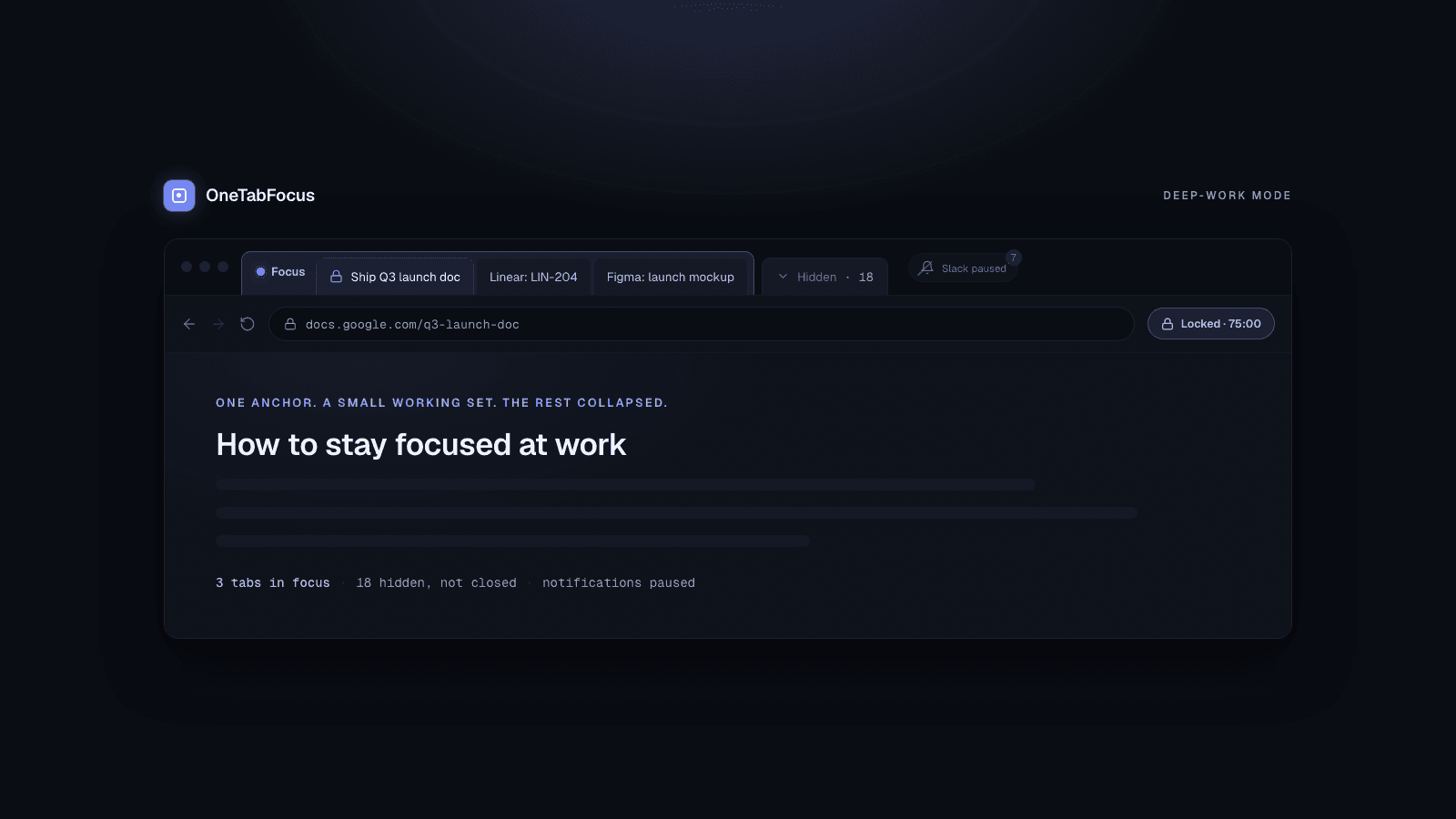
On this page
- Why focus at work has gotten harder
- The anchor-tab system
- Step 1 — Pick today's anchor (the one thing you're shipping)
- Step 2 — Time-block 60 to 90 minutes around it
- Step 3 — Lock Chrome to the anchor (plus a small set of reference tabs)
- Step 4 — Silence the rest (notifications, Slack, email)
- Step 5 — End the block on time and actually rest
- Habits that help (but can't compensate)
- How OneTabFocus helps
Why focus at work has gotten harder
Every guide on the internet gives you the same checklist for deep-work mode at the office: set SMART goals, time-block your calendar, take breaks, sleep eight hours, exercise, meditate. Most of it is grounded in real research and most of it is, in isolation, true.
It also assumes a workday that does not exist anymore. Microsoft's 2024 Work Trend Index — built on telemetry from millions of Microsoft 365 users — found that knowledge workers are interrupted on average every two minutes during core work hours, accumulating roughly 275 interruptions across a single workday. Gloria Mark's longitudinal research at UC Irvine, summarised in her book Attention Span and in this Dropbox interview, shows the average time a worker spends on any single screen has fallen from 2.5 minutes in 2004 to 75 seconds in 2012 to roughly 47 seconds today. Most of those switches are not meetings. They are self-initiated jumps from one browser tab to another.
You do not need a better goal-setting framework. You need a system that protects the actual work from that environment. This post is the system: pick an anchor, defend a block, lock the browser, silence the rest.
The anchor-tab system
The system has three core moves and two supporting habits. Run it once or twice a day and you reclaim the kind of block where real work happens.
Step 1 — Pick today's anchor (the one thing you're shipping)
Open the day by choosing the one specific deliverable you most want to have shipped by the end of it. Not a project. Not a priority. A concrete artefact: "Ship the Q3 launch doc," "Land the LIN-204 PR," "Send the offer letter to the candidate." If you cannot finish a sentence that starts with "By 5pm today I will have…", you do not have an anchor yet.
The anchor matters because attention residue is real. In a 2009 paper in Organizational Behavior and Human Decision Processes, Sophie Leroy found that when people switch from Task A to Task B, part of their cognitive processing stays stuck on Task A — and the residue is thicker when Task A was unfinished or interrupted under time pressure. Two tasks half-done generate more residue than one task fully shipped. Naming a single anchor at the start of the day means the rest of the day's tasks can be deferred without leaving a half-built thing behind you.
Write the anchor down somewhere visible. The next four steps are all in service of moving that one thing across the line.
Step 2 — Time-block 60 to 90 minutes around it
A deep-work block is a calendar event you defend like a meeting with a customer.
The right length is longer than most people think. DeskTime's longitudinal analysis of millions of work hours, originally published in 2014 and updated in 2024, found that the most productive 10% of workers operate on a 52-minute work / 17-minute break rhythm — and that the optimum has actually drifted up to 75 minutes of work followed by 33 minutes of rest in the post-pandemic data. Pomodoro's 25-minute interval is fine for low-momentum starts, but the kind of cognitive work most knowledge workers are paid for — writing, design, debugging, analysis — needs a longer runway to reach real depth.
Pick a duration: 60, 75, or 90 minutes. Put it on your calendar. Treat it as a meeting with yourself.
Step 3 — Lock Chrome to the anchor (plus a small set of reference tabs)
This is where almost everyone fails, because most "focus tools" are built around the wrong mental model. A blocklist of distracting sites — Twitter, Reddit, YouTube — assumes the distraction comes from outside. For real knowledge work, the distraction usually comes from inside: jumping from your code editor to Linear "just to check," from your draft to Slack "just to reply," from Figma to Notion "just to grab that link." None of those are distraction sites. They are the work — and the moment you switch to one, you have paid the Mark 23-minute-and-15-second recovery cost without realising it.
The fix is to lock the browser for the duration of the block — not block individual sites, lock the whole browser to a small working set. OneTabFocus is a Chrome extension that locks the browser to one tab — or a small set of reference tabs — for a chosen duration. That phrase "a small set of reference tabs" is the part that matters for knowledge work. You can keep your Linear tab, your Notion tab, and your design file in the focus group; the rest is collapsed.
A blocklist relies on you not disabling it. A lock removes the choice for the duration of the block.
Step 4 — Silence the rest (notifications, Slack, email)
Same principle, different surface area.
Turn on macOS or Windows do-not-disturb for the duration of the block. Snooze Slack ("Pause notifications" → for the block length). Close your email client; if your email is in the browser, it is one of the tabs that goes into the Hidden chip. If your phone is the surface the interruptions come through, leave it in another room.
You are not trying to silence every possible interruption — you are trying to remove the ones you can control. The two-minutes-per-interruption Microsoft figure is mostly chat and email pings. If those are silenced for 75 minutes, the frequency drops by an order of magnitude.
Step 5 — End the block on time and actually rest
The block ends. You take the break.
The break is not optional. DeskTime's data shows the 17- to 33-minute break is where the productivity of the next block is built. Skip it to keep working and you eat the next block's quality. Walk away from the screen. Get water. Look out a window. Do not check email — that is not a break.
Then run a second block in the afternoon. Two well-defended blocks of 60 to 90 minutes will produce more shipped work than eight hours of fragmented availability.
Habits that help (but can't compensate)
The standard advice does help. Sleep deprivation measurably degrades working memory. Exercise improves executive function. Hydration matters. Meditation lengthens sustained-attention spans. None of this is wrong.
It is insufficient because it addresses the inputs to focus, not the environment in which focus has to operate. A well-rested, well-hydrated, meditation-practising knowledge worker is still going to lose a 90-minute block to 45 Slack messages and an email that "just needs a quick reply." Microsoft's 2024 Annual Work Trend Index found that 80% of employees report lacking the time and energy to do their jobs effectively. They are not under-rested. They are under-defended. Generic advice optimises the worker; the anchor-tab system fixes the workday.
How OneTabFocus helps
OneTabFocus is a Chrome extension that locks the browser to one tab — or a small set of reference tabs — for a chosen duration.
OneTabFocus collapses every non-focus tab into a single 'Hidden' chip. Tabs are not closed: audio keeps playing, drafts are preserved, scroll position is preserved.
When the block ends, the original tab groups are restored exactly as they were. Nothing about your real work is lost; the surface area for distraction is just temporarily zero. If you want the deeper mechanics of how the lock holds against new tabs, window switches, and accidental clicks, see the deep-work mode page or the tab-lock page. Otherwise, install OneTabFocus and try running one 75-minute block on whatever you are shipping today.
FAQ
How long should a deep-work block be?
Start with one 60- to 90-minute block per day, anchored to your highest-priority task. Most knowledge workers can sustain two blocks of this length, separated by a real break. Going beyond 90 minutes without recovery degrades the quality of the work, so longer is not better. If 60 feels heroic, start at 45 and add ten minutes a week.
Why can't I focus at work anymore?
Probably because the environment changed faster than your habits. Microsoft's 2024 research found knowledge workers are interrupted every two minutes during core hours, mostly by chat, email, and self-initiated tab switches. No amount of willpower is going to out-compete that frequency. The fix is environmental: defend the block, lock the browser, batch the inbox.
Is Pomodoro the best way to stay focused at work?
Pomodoro works well as a tactic inside a longer block, not as the block itself. A 25-minute focus interval is short enough to start when you don't feel like working, but most knowledge-work tasks (writing, design, debugging) need 60- to 90-minute windows to reach real depth. Use Pomodoro for low-momentum starts and longer blocks for serious work.
How do I stop tab-switching during work?
Remove the option, not the impulse. A blocklist that you can disable will be disabled when you want to switch. A tab lock holds the browser to your anchor tab plus a small set of reference tabs for a fixed duration, so the switch is not available. Pair it with do-not-disturb on the OS and Slack snooze for the block.