
You Don't Have to Close Tabs to Focus — Here's Why
Closing tabs loses your work. Here's how to hide tabs in Chrome instead — keep audio, drafts, and scroll position intact while you focus on one thing.
 CollinFounder, OneTabFocus6 min read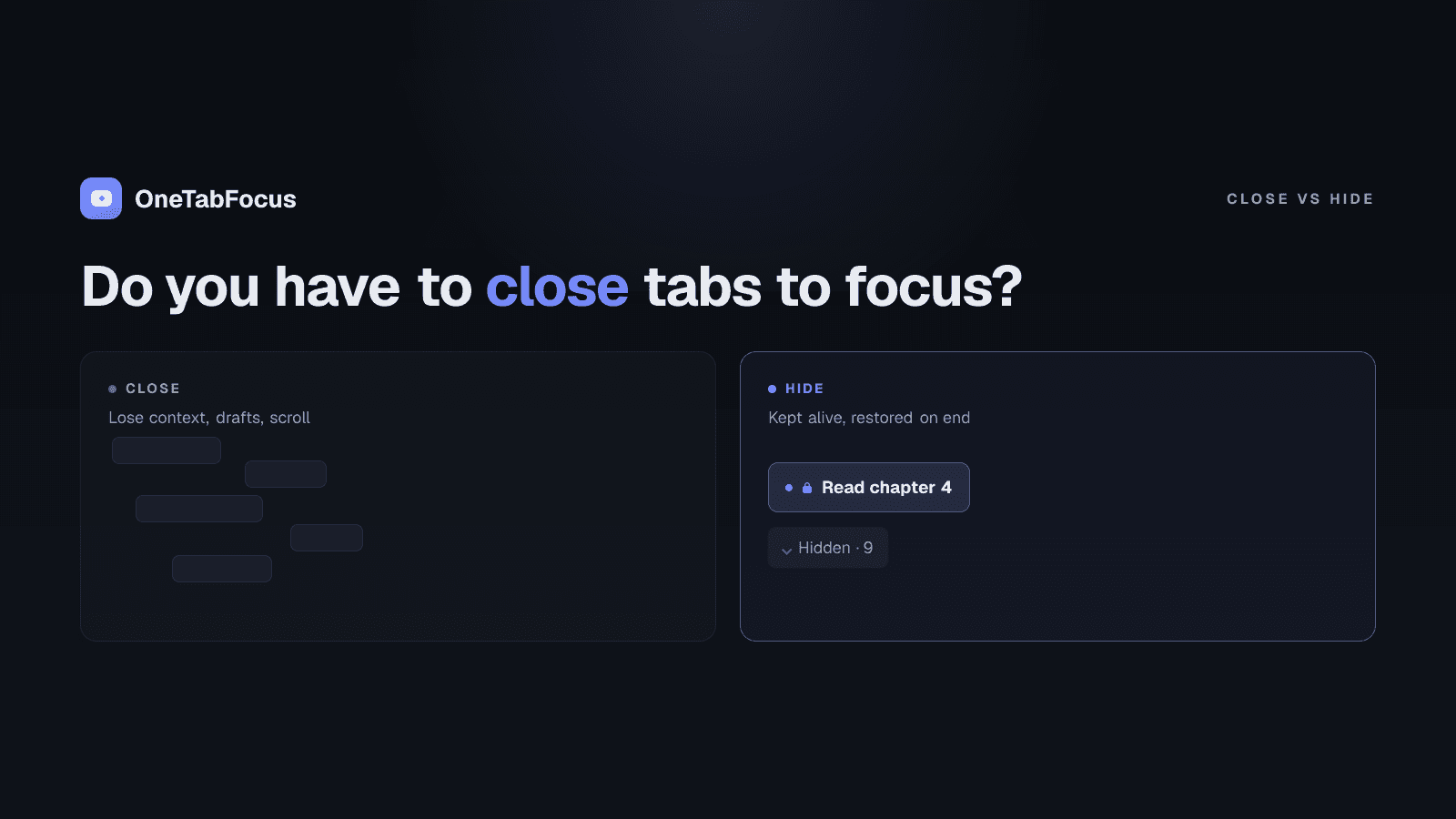
On this page
Why "close all tabs" advice doesn't stick
Every productivity blog ever has told you to close your tabs. Most readers have tried it once. Most readers have closed thirty tabs to start a focus block, lost the page they actually needed, spent ten minutes finding it again, and never closed thirty tabs again. There is a third option — a tab lock that hides tabs without closing them — but most posts on this topic skip it.
The reason is well-studied. A team at Carnegie Mellon's Human-Computer Interaction Institute ran the first in-depth study of browser tab behaviour in more than a decade and presented their findings — When the Tab Comes Due: Challenges in the Cost Structure of Browser Tab Usage — at the ACM CHI conference in 2021. Across 103 participants, more than half reported they could not bring themselves to close any of their tabs. The researchers named the cause the black hole effect: the fear that as soon as something went out of sight, it was gone. About 30% of participants described themselves as tab hoarders, and 25% had crashed their browser from too many open tabs. The advice "just close them" assumes a user who doesn't exist.
The honest framing is that tabs are not clutter — they are open loops. Each open tab is a task you started, a reference you might still need, a draft you haven't shipped. Closing one is a small bet that you won't need it again. With 30 tabs open, you are being asked to make 30 small bets and accept some loss. Most people decline to play, and the tabs accumulate. The result is the worst of both worlds: a cluttered strip and the cognitive load of all those open loops, plus a creeping suspicion that you should "really clean up" some day. The third option — the one this post is about — is to keep the tabs and hide them. The tab lock below is exactly that.
What "hide" actually means (and why it's not the same as close)
When Chrome added tab groups, it added a quiet superpower: a group of tabs can be collapsed into a single labelled chip in the tab strip. The tabs in a collapsed group are still loaded. They are not closed. They are simply not visible in the strip.
OneTabFocus collapses every non-focus tab into a single 'Hidden' chip. Tabs are not closed: audio keeps playing, drafts are preserved, scroll position is preserved.
That is the difference between hiding and closing. A closed tab is gone — the page unloaded, the form state cleared, the YouTube video stopped, the scroll position reset. A hidden tab is still there, still running, still holding its state — it just isn't competing for your attention in the tab strip. For the duration of a focus block, hidden is functionally the same as closed without the cost. And the cost is real: Sophie Leroy's research on attention residue shows that switching away from a task and back leaves part of your attention stuck on the interruption, so re-finding and reloading a closed tab costs more than the few seconds it takes to reopen it.
When the session ends, you get your tabs back exactly
When the session ends, the original tab groups are restored exactly — same colors, same titles, same membership.
You don't have to remember what was open. You don't have to re-find the page. You don't have to re-load your draft. The tabs come back in the same groups, in the same order, with the same state they had before the focus block started. The decision to focus stops being a bet against losing your work, because there is no loss to bet against.
When closing tabs is the right answer
Not every tab problem is a focus problem. Three honest cases where closing is the right move:
- End-of-day cleanup. You finished a research session, you've accumulated 40 tabs, the project is done, and you want a clean slate tomorrow. Close them, or use OneTab to save the URLs to a list you can re-open later if you change your mind.
- Old hardware running out of memory. If Chrome is genuinely crashing because of memory pressure, you need fewer running tabs, not just hidden ones. Hidden tabs still hold their render process.
- Project shutdown. You've finished a project; the tabs were specific to it; you'll never need them again. Close them and move on.
For everything else — the working tabs you'll need again in an hour, the references you're mid-use of, the drafts you haven't shipped — closing is the wrong move. Hide them instead.
How OneTabFocus hides tabs during a focus session
OneTabFocus is the Chrome extension that runs the hide-then-restore pattern as a deliberate focus session. You pick a duration, name the task, and the extension collapses every tab outside the focus group into a single grey "Hidden" chip in the tab strip for the duration. The tabs keep running. Audio plays. Drafts persist. When the duration ends, every tab is back where it was.
For the deeper mechanics — multi-tab focus groups, force-return guards against accidental switches, how the lock handles Pomodoro breaks — see the tab lock page. For a direct comparison with OneTab's close-and-list model, see the OneTab alternative page. Otherwise, install OneTabFocus and try one focus session — your tabs will be exactly where you left them when it ends.
FAQ
Why do my tabs keep accumulating?
Mostly because closing a tab feels like losing the information on it. A 2021 Carnegie Mellon study called this the 'black hole effect' — the fear that closing means the page is gone. More than half of the study's 103 participants said they could not bring themselves to close tabs they no longer actively used.
Does having a lot of tabs open slow Chrome down?
Yes. Each tab holds a render process and memory; 30 or 40 tabs can use several gigabytes of RAM. The Carnegie Mellon research found 25% of participants had crashed their browser from too many tabs. The fix is not necessarily to close — collapsing into a Chrome tab group reduces visual load without losing the work.
Can I hide tabs in Chrome without closing them?
Yes. Chrome's tab-group API lets you collapse tabs into a single chip in the tab strip. The tabs remain live — audio plays, drafts persist, scroll position is kept — but they're not visible. A tab lock like OneTabFocus uses this mechanism to hide every non-focus tab during a focus session and restore them at the end.
What's the difference between OneTab and OneTabFocus?
OneTab closes your tabs and saves the URLs to a list page you restore from. Audio stops, drafts in forms disappear, scroll resets. OneTabFocus hides your tabs into a collapsed Chrome tab group — they stay live, then are restored exactly. OneTab is for end-of-day cleanup; OneTabFocus is for protecting a focus block without losing working state.