
OneTab vs OneTabFocus — Which Should You Use?
OneTab saves tabs to a list and closes them; OneTabFocus locks the browser to one tab and hides the rest. An honest comparison of which one fits your workflow.
 CollinFounder, OneTabFocus9 min read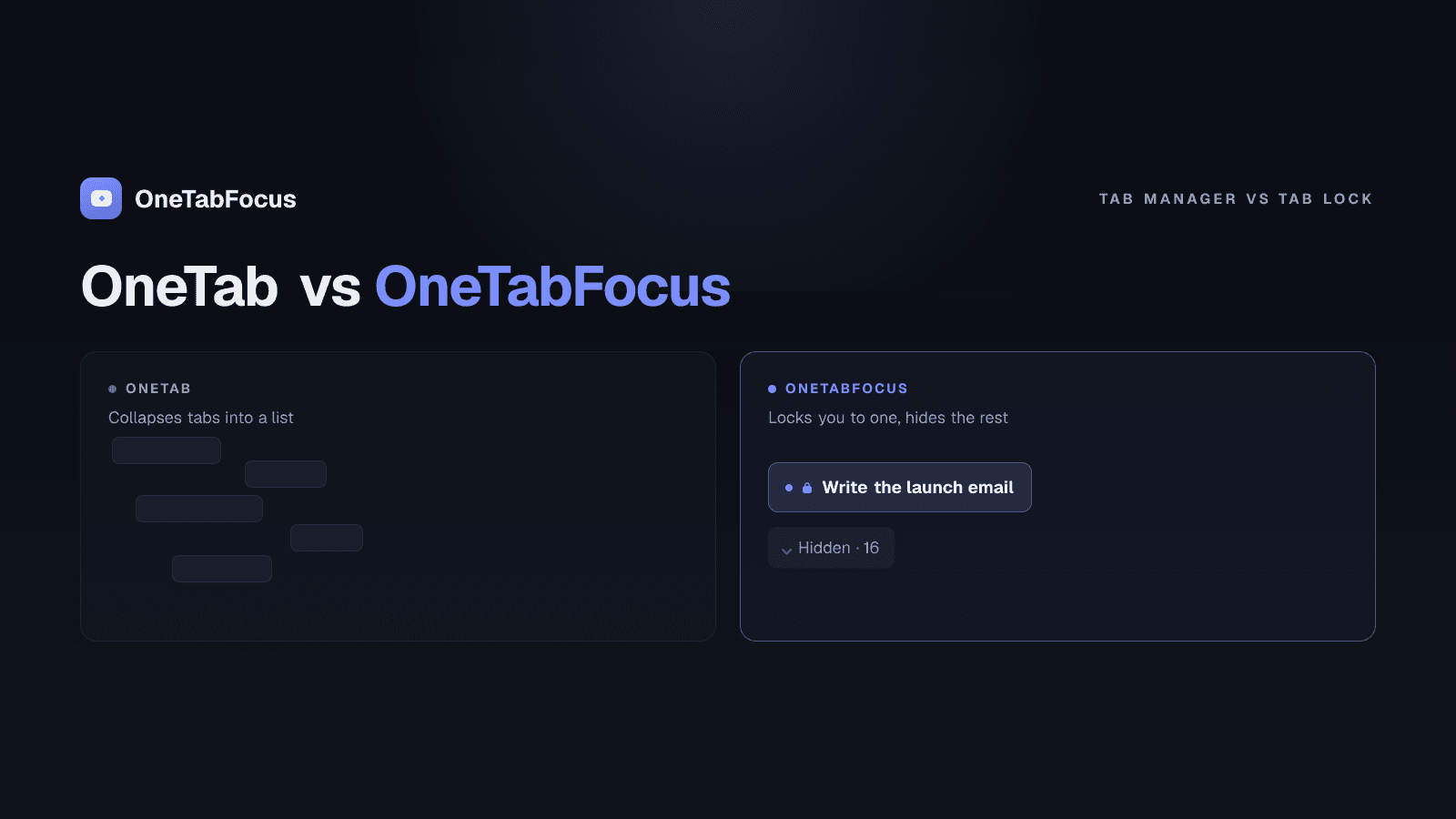
On this page
The one-sentence difference
OneTab closes your tabs. OneTabFocus hides them. The rest of the post is consequences of that one structural decision.
OneTab takes your 40 open tabs and saves them as URLs on a single list page, then closes the originals. Memory drops by up to 95%. The tab strip is clean. The drafts in unsubmitted forms are gone. The YouTube video that was playing has stopped. The scroll position on the article you were halfway through has reset to the top. You can restore any tab from the list, but restoring opens a fresh page load, not the live state you left.
OneTabFocus takes your task tab — plus a small set of reference tabs you actually need — and locks the browser to those for a chosen duration. Every other tab is collapsed into a single grey "Hidden" chip in the tab strip. Audio keeps playing. Drafts are preserved. Scroll position is kept. When the session ends, every tab is restored to its original group exactly as it was. There is no list page to manage and no reloads on restore.
OneTab solves "I have too many tabs at the end of the day." OneTabFocus solves "I need to focus for 75 minutes without losing my working state." Both are real problems. They aren't the same problem.
How each works in detail
The mechanisms underneath the two extensions are different enough that the comparison is worth spelling out.
OneTab — close and list
OneTab is one of the original Chrome productivity extensions, released in 2012 and widely installed since. The model is simple: a toolbar button reads every open tab in the active window, writes the URL and title to a saved list, and closes the tabs. The list lives in a OneTab-managed Chrome tab and is searchable. You can restore one tab at a time or the whole list at once.
The pitch the official site makes is memory savings — collapsed tabs no longer hold render processes, so Chrome's RAM footprint drops dramatically. This is true and measurable; the up-to-95% figure matches independent testing on heavy tab strips.
The trade-off is that closing a tab is a destructive operation for in-page state. The list preserves URL and title. Everything else — audio, video, form input, scroll position, the cookie state of the SPA you were navigating, the modal that was open — is gone. For research recovery, this is fine. For active focus blocks, it's the wrong tool.
OneTabFocus — lock and hide
OneTabFocus is a Chrome extension that locks the browser to one tab — or a small set of reference tabs — for a chosen duration.
OneTabFocus collapses every non-focus tab into a single 'Hidden' chip. Tabs are not closed: audio keeps playing, drafts are preserved, scroll position is preserved.
The mechanism uses Chrome's native tabGroups API: your focus tab(s) move into a coloured group named after the task you set, every other tab moves into a second group called "Hidden" that is then collapsed into a single chip. Both groups remain live; the hidden tabs continue to load, play audio, hold form state, and run JavaScript. They simply aren't visible in the strip.
When the session ends, the original tab groups are restored exactly — same colors, same titles, same membership.
Everything that was in a custom group before the session is back in that group, with the original colour. The Hidden group is dissolved. The focus group is dissolved. Your tab strip looks exactly as it did before you started.
Comparison table
| Feature | OneTab | OneTabFocus |
|---|---|---|
| Primary use case | End-of-day cleanup | Defending a focus block |
| Mechanism | Closes tabs, saves URLs to list | Locks browser to task tab(s), hides others |
| Audio preservation | No (tabs closed) | Yes |
| Draft / form state preservation | No (tabs closed) | Yes |
| Scroll position preservation | No (tabs closed) | Yes |
| Memory savings | Up to 95% (closed tabs free memory) | None — tabs stay loaded |
| Time bound | No — list persists indefinitely | Yes — duration set per session |
| Pomodoro mode | No | Yes |
| Free tier | Fully free | Free + $24/yr Pro for Pomodoro and longer sessions |
| Founded | 2012 | 2026 |
| Best for | Researchers, end-of-day cleanup, sharing tab lists | Knowledge workers, students, ADHD users, anyone defending a focus block |
When OneTab is the right answer
Install OneTab when:
- You research in heavy bursts. You spend two hours collecting 50 tabs across a topic, you need them all open at the time, and you need them all closed an hour later. OneTab is built exactly for this.
- Your hardware is running out of memory. Old machine, limited RAM, Chrome thrashing. Closing tabs actually frees memory; hiding them doesn't. OneTab is the right intervention.
- You want to share a list of links. OneTab has a built-in "share as a webpage" feature that turns your tab list into a sharable URL. Useful for "here's the research I did this week" handoffs.
- You're tab-hoarding and need to break the loop. Carnegie Mellon's 2021 research on tab overload found over half of users felt they couldn't close any tabs. OneTab gives you a low-friction way to get the strip clean while preserving the URL list as a safety net.
OneTab is genuinely the right tool for these cases. It's been around for fourteen years for a reason.
When OneTabFocus is the right answer
Install OneTabFocus when:
- You need to defend a 60- to 90-minute focus block. Writing, design, debugging, study — anything cognitively demanding where switching tabs costs you the 23-minute, 15-second recovery time Gloria Mark's research has measured.
- Your distractions are your own working tabs. Linear, Notion, Slack web, your draft — they aren't on anyone's blocklist, but each one is one keystroke away during the focus block. OneTabFocus hides them without losing their state.
- You want Pomodoro structure with real enforcement. Most Pomodoro timers notify but don't enforce. OneTabFocus holds the lock through the focus phase and through the break, so a five-minute break stays a five-minute break.
- You can't afford to lose working state. A live YouTube video for ambient noise, a draft you've been editing all morning, a scroll position deep in a long doc, an SPA you've been navigating — OneTabFocus preserves all of it. OneTab closes all of it.
The cleanest test: at the end of the focus session, do you want the tabs to come back with their state intact, or do you want them gone? If intact, OneTabFocus. If gone, OneTab.
Can you use both?
Yes, and many users do. The two extensions cover different parts of the day:
- Morning deep-work block. Start a 90-minute OneTabFocus session. The browser locks to your task tab plus your reference tabs. Two cycles of Pomodoro structure run inside the block. At the end, OneTabFocus restores everything to where it was.
- Afternoon research burst. Open 30 tabs across the topic you're investigating. When you've extracted what you need, hit OneTab to collapse them into a saved list. Memory recovers. The list is preserved if you need to come back.
- End of day. Hit OneTab one more time on any residual research tabs you've accumulated. Close Chrome with a clean strip and 12 GB of RAM back. Start tomorrow with the same calm strip.
The extensions don't conflict — they manage different windows of the day at different scales.
How OneTabFocus actually preserves working state
OneTabFocus is a Chrome extension that locks the browser to one tab — or a small set of reference tabs — for a chosen duration.
OneTabFocus collapses every non-focus tab into a single 'Hidden' chip. Tabs are not closed: audio keeps playing, drafts are preserved, scroll position is preserved.
When the session ends, the original tab groups are restored exactly — same colors, same titles, same membership.
That's the entire pitch in three sentences. If your problem is end-of-day cleanup or memory pressure, install OneTab. If your problem is hiding your tabs for a focus block without losing their state, see the OneTab alternative page or the tab lock page. Otherwise, install OneTabFocus and run one 75-minute focus block to feel the difference between "closed" and "hidden."
FAQ
What is the main difference between OneTab and OneTabFocus?
OneTab closes your open tabs and saves the URLs to a list page you can restore from. OneTabFocus locks the browser to your task tab plus optional reference tabs for a chosen duration, collapsing the rest into a single hidden chip without closing them. OneTab solves clutter; OneTabFocus solves focus.
Does OneTab save audio, drafts, and scroll position?
No. OneTab closes the tabs to put them on the list page; when you restore one, it reloads from a fresh request. Any unsaved form data, audio playback, scroll position, or in-page state is lost. OneTabFocus hides tabs without closing them, so audio keeps playing, drafts persist, and scroll position is preserved through the session.
Is OneTabFocus a OneTab alternative?
For the end-of-day cleanup use case, no — OneTab is purpose-built for that and free. For the focus-block use case where you want to hide your tabs for 60 to 90 minutes without losing their state, OneTabFocus is the right tool. The two solve different problems and many users run both.
Can I use OneTab and OneTabFocus together?
Yes, and many users do. Use OneTabFocus during deep-work blocks to hide tabs without losing their state, then use OneTab at end of day to compress the residual tabs into a saved list. The extensions don't conflict — they cover different parts of the tab-management problem at different times of day.